
Scheduler
Complete Daily Quests and Dungeons on time through the Scheduler. Complete tasks set by Region and usage time and complete them in the order you set them in through Auto-combat.
Basic Information
1. Criteria
- Level Requirement: Level 40 or above
- Quest Requirement: None
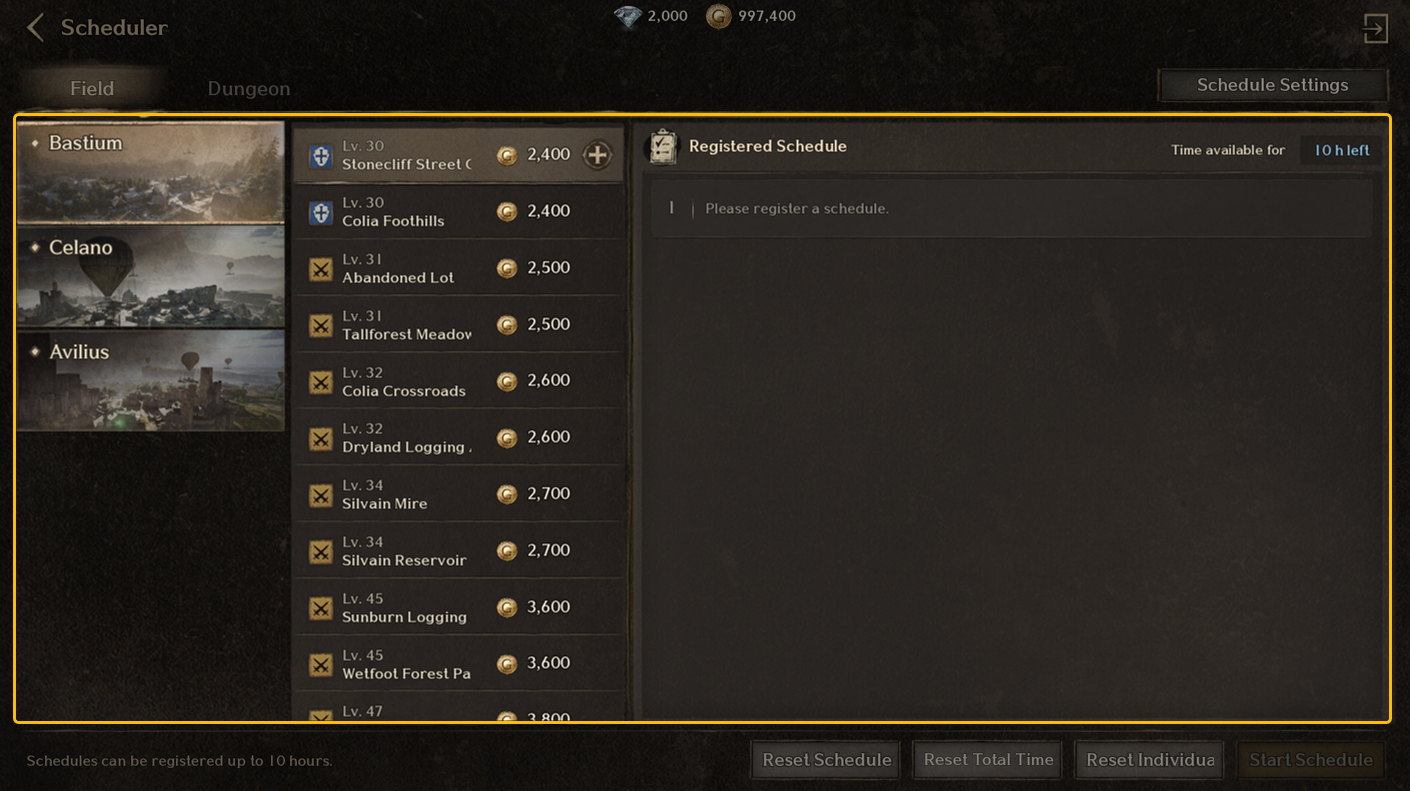
- Register Specific regions and Dungeons to commence Auto-Combat in order.
- Fields/Dungeons available to commence schedules are displayed.
- Regions available to commence schedules are displayed.
- Select Fields to Schedule. Gold consumed for commencing the Schedule will be displayed.
- Death penalty, auto-purchase, manner mode settings can be adjusted in the [Schedule settings]
- Schedules that have been registered are displayed. Time spent on the Scheduled task and order can be adjusted.
Registration
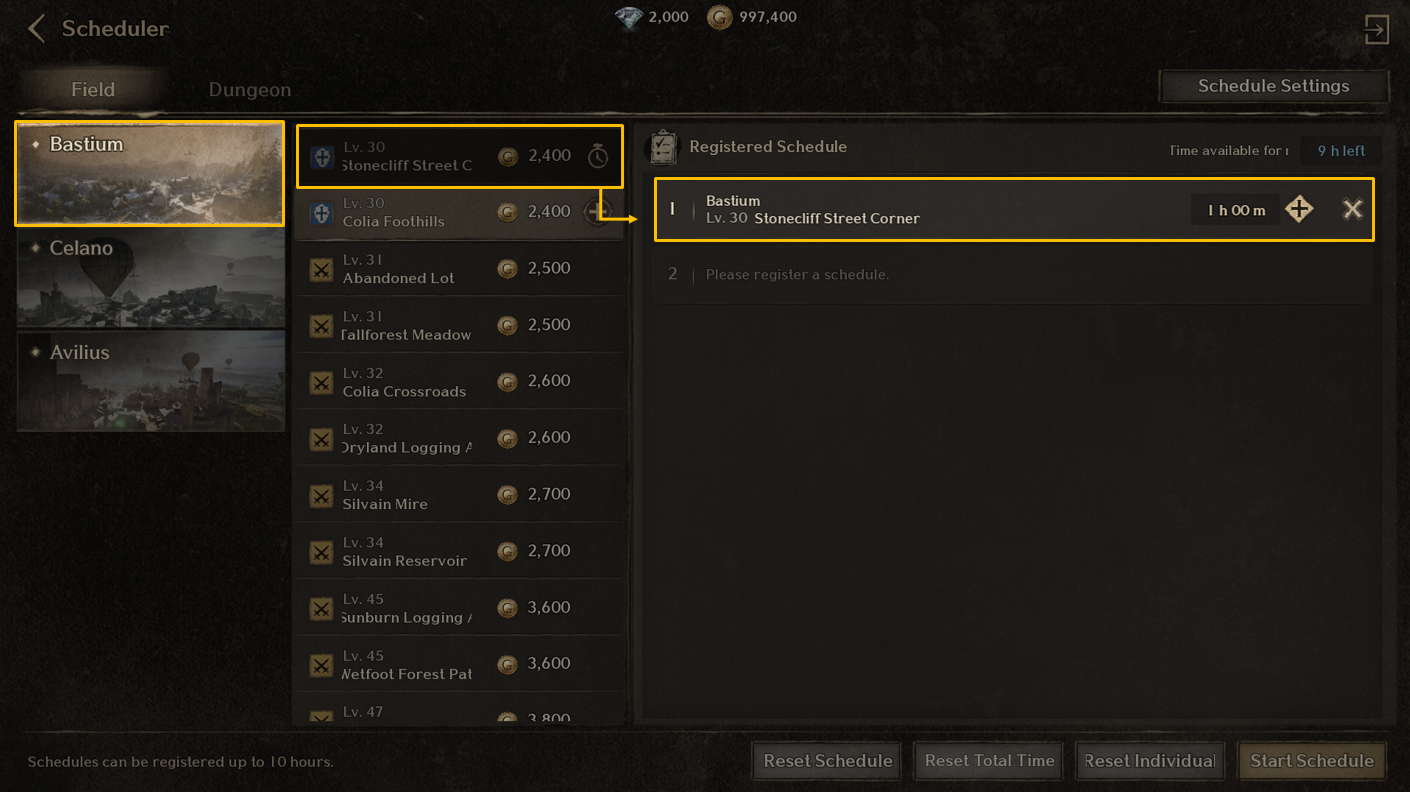
- Select the region to commence the task in, and press the ‘+’ button to register it into the Schedule.
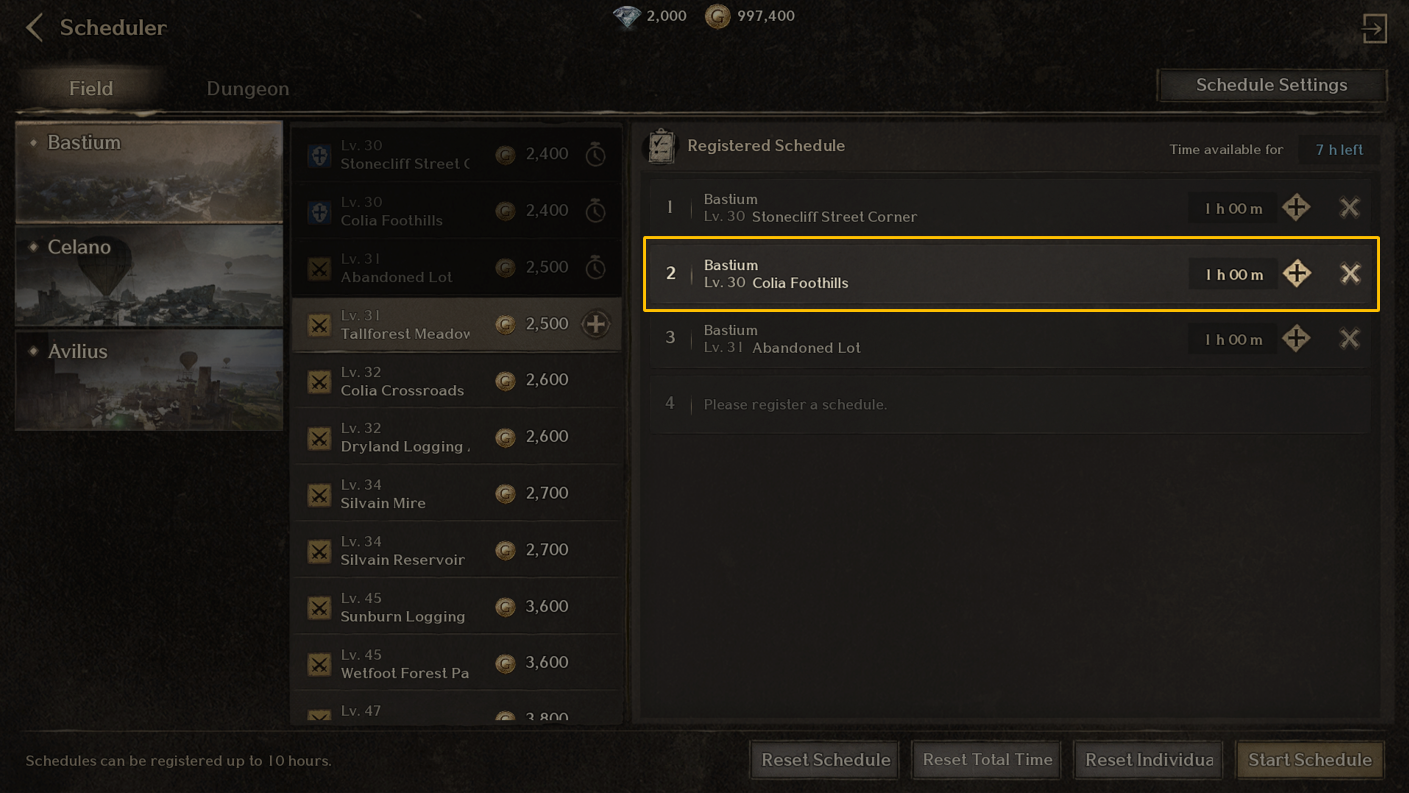
- Use the ‘up/down’ buttons on the left to change the order of your schedules. Use the ‘+/-’ buttons on the right to adjust the time to spend on the schedule.
- Press the ‘X’ button to delete the registered Schedule.
※ Schedule times can be adjusted to a minimum of 1 hour, up to a maximum of 10 hours.
※ Schedule order and time spent on a Schedule can not be changed while commencing the Schedule.
※ Time set in the Dungeon through the scheduler can not be set over the amount of time you have left in the Dungeon.
Settings
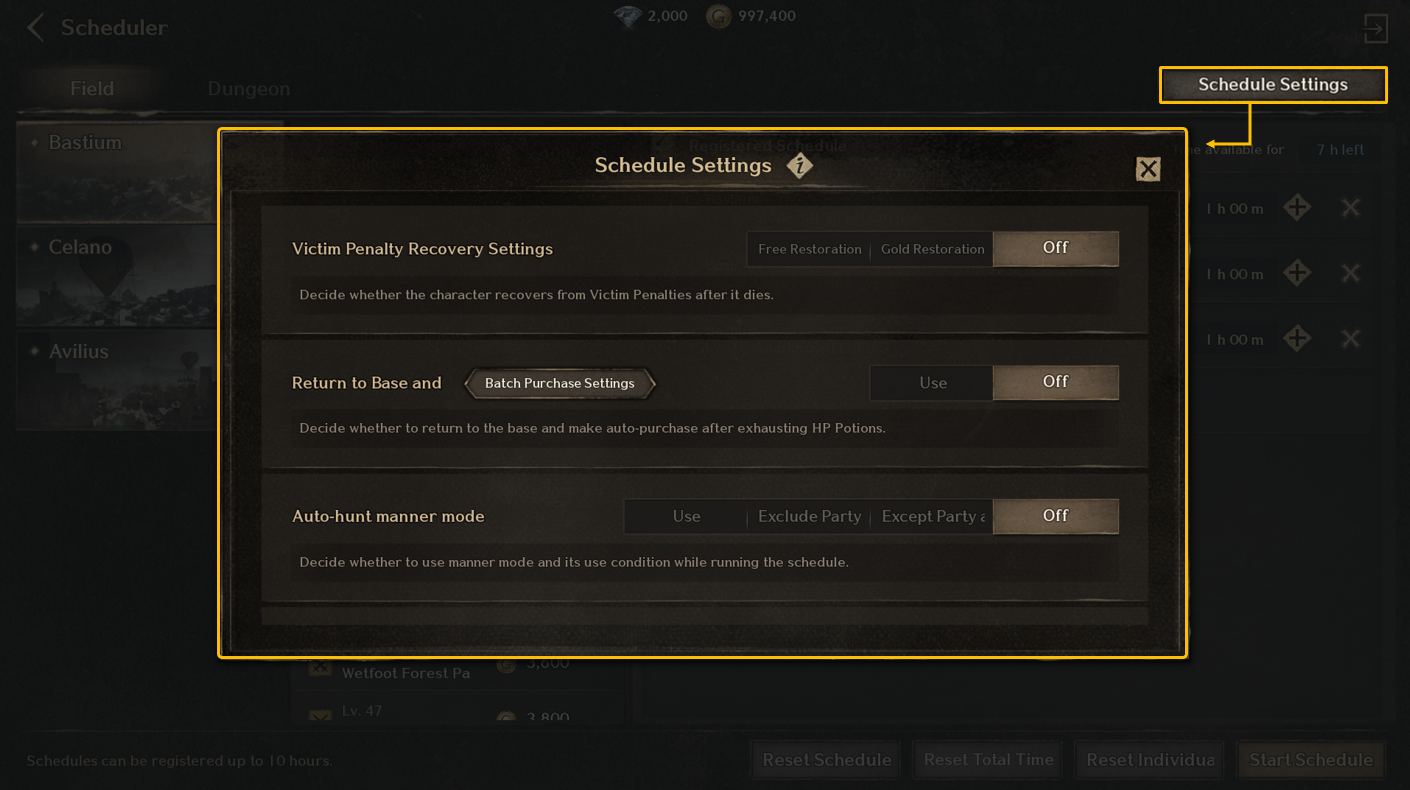
- Death Penalty Setting: Adjust settings to use Death Recovery when your character dies while commencing with the Schedule.
- Return to Base and Auto-purchase: Adjust settings to return to base and Auto-purchase more HP potions when your character has used up all HP potions.
- Auto-Hunt Manner Mode: Adjust settings to toggle manner mode during Schedules, and the circumstances of when to toggle it.
- Auto-hunt search range: Adjust enemy search range to apply when commencing with Schedules.
Schedule Progression
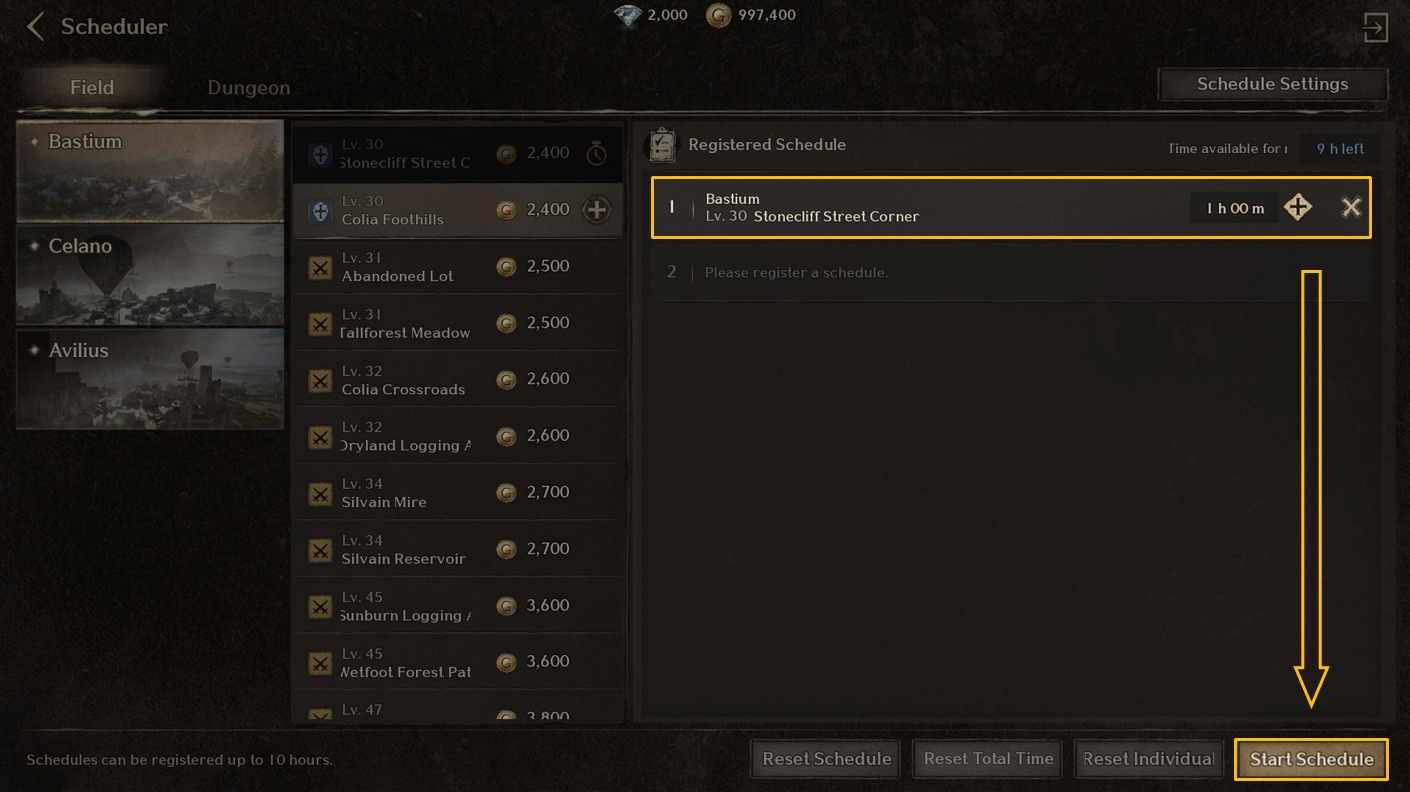
- After registering all the tasks you want completed in the Scheduler, press the ‘Start Schedule’ located on the bottom right to auto-move to the schedule in the order you have registered.
※ Spawn location will be random when using auto-move in the Scheduler.
※ When a character dies while using the Scheduler, the character will auto-move back to the location of the Schedule.
Reset
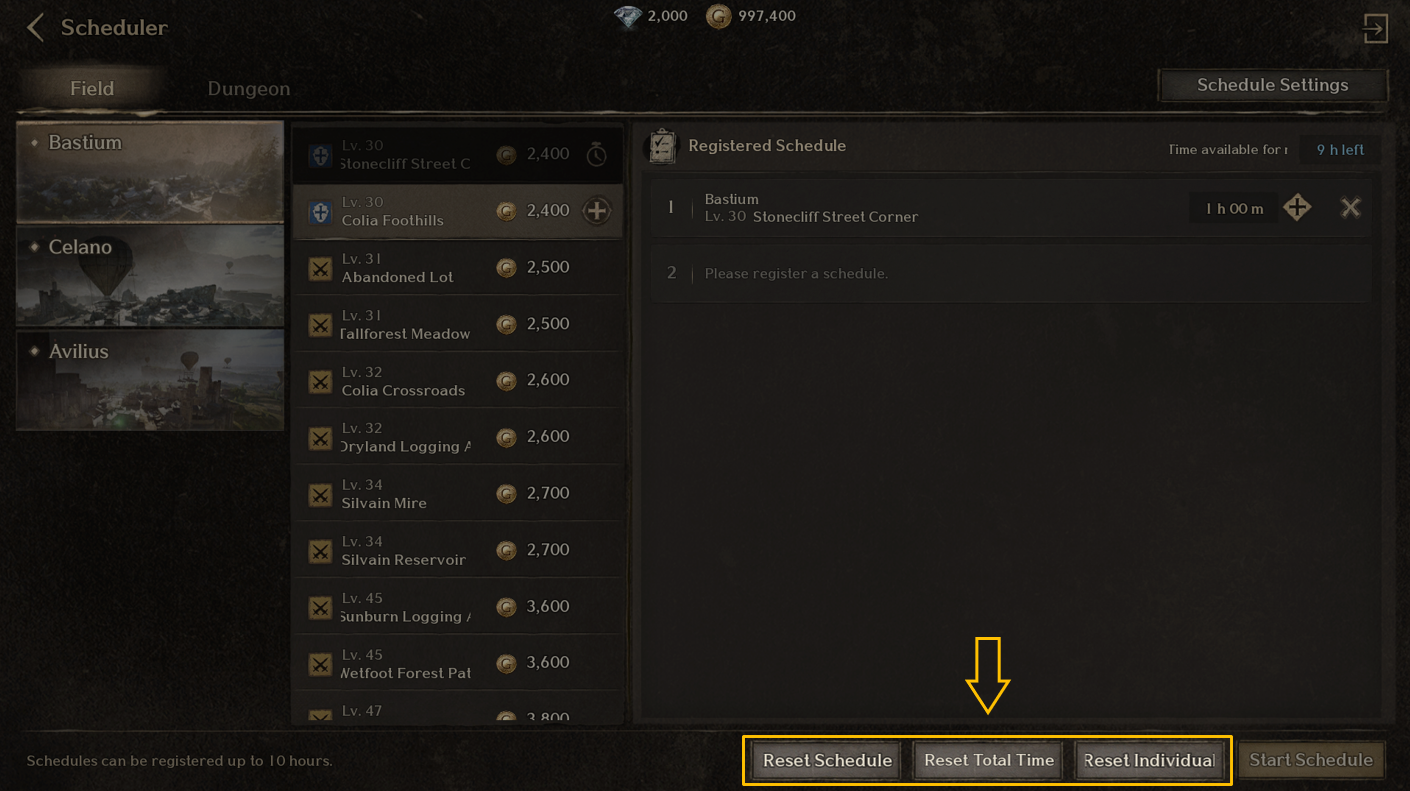
- Reset Schedule: All registered Schedules will be deleted.
- Reset Total Time: Time on all Schedules will be set to the time it was first set on.
- Reset Individual Time: Time on selected schedules will be set to the time it was first set on.